Easily create, customize, or replace covers for your EPUB eBooks on iPhone, iPad, and Mac. Update book metadata, adjust reading direction, optimize layout, and export or transfer your books effortlessly.
Download on the App Store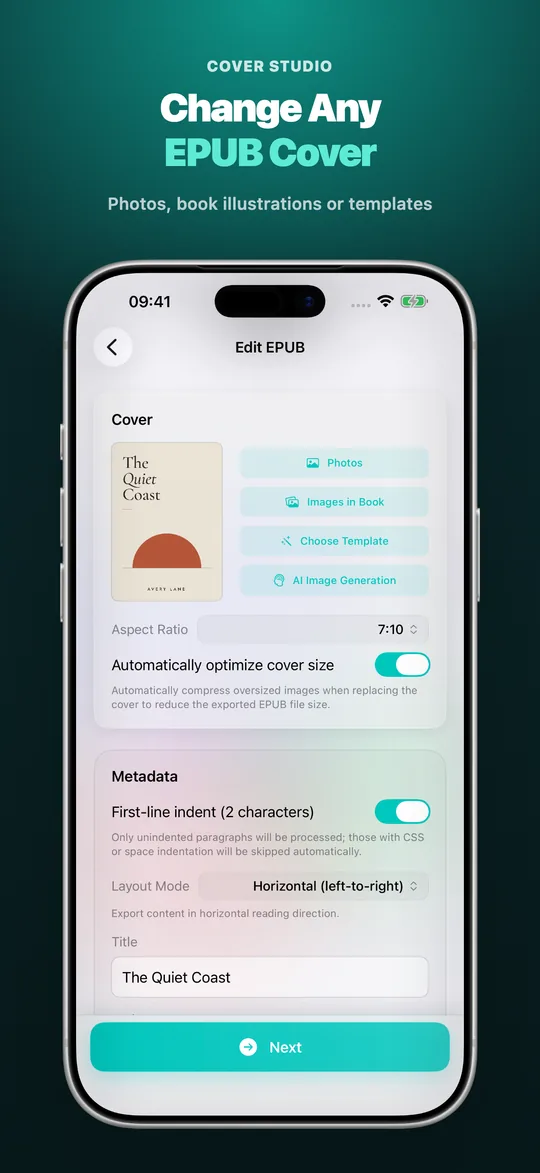
Core Features
Multi-Way Cover Creation & Aspect Ratio Fitting
- Photo & File Import: Select any high-resolution image from your Photos library or Files app as your cover.
- Extract In-Book Illustrations: Scan and extract images embedded inside your EPUB to use as a cover with a single tap.
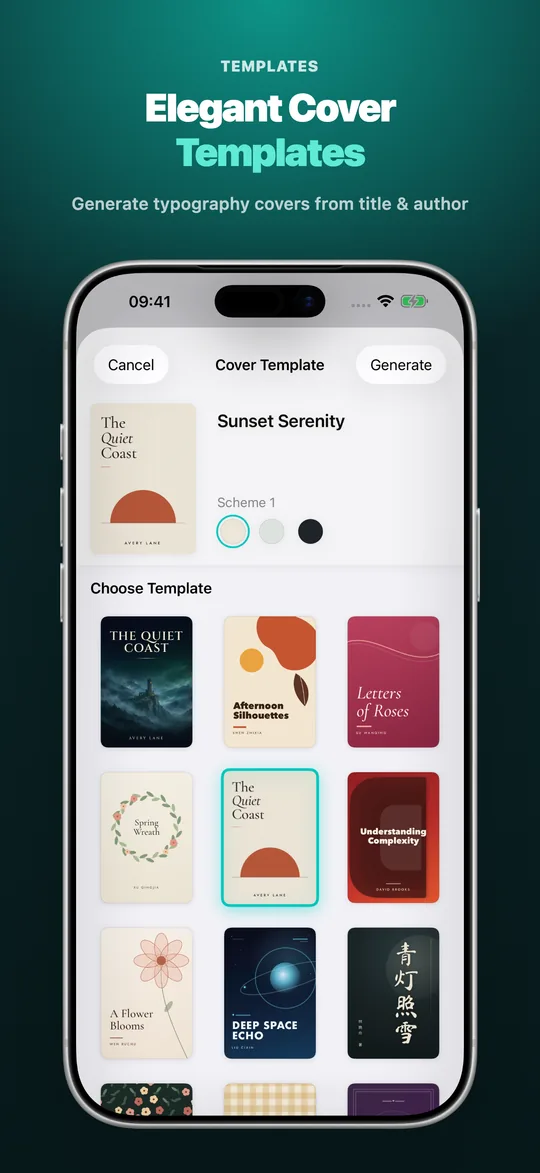
- Typographic Templates: Generate clean, minimalist, and literary book covers instantly just by typing the title and author.
- AI Prompt Assistant: Generate targeted cover illustration prompts based on your book details to copy into popular AI image tools.
- Popular eReader Ratios: Supports Original, 7:10, 2:3, 3:4, and 5:8 aspect ratios with real-time Fit and Fill previews.
- Smart Image Compression: Automatically compresses oversized cover pictures to preserve crispness while drastically reducing exported EPUB file size.
Standard EPUB Metadata (OPF) & Series Management
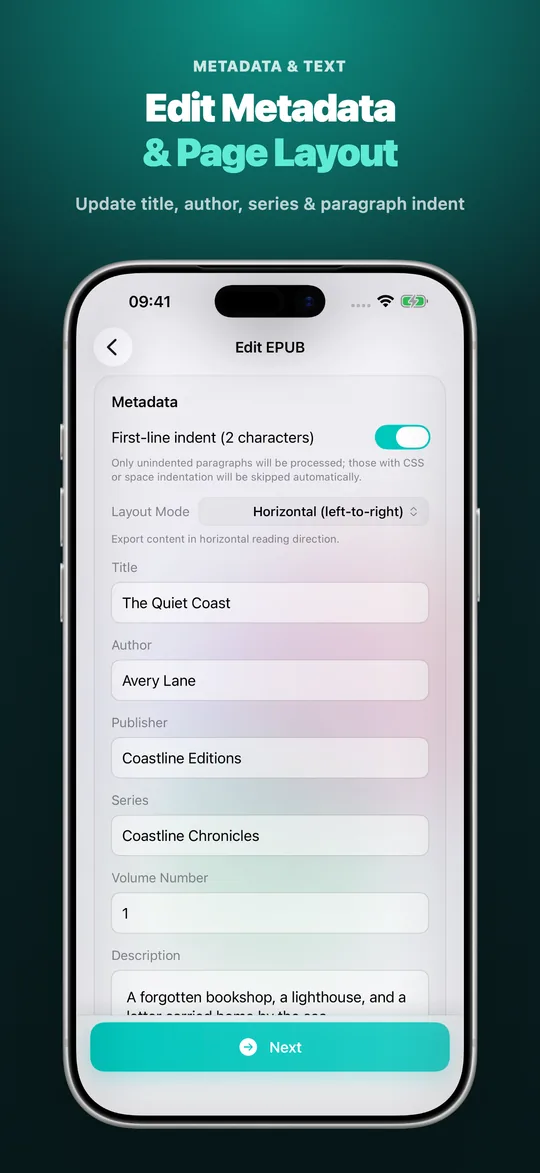
- Complete Book Details: Edit title, author, publisher, genre tags (Subjects), and book synopsis/description.
- Series & Volume Organization: Set Series Name and Volume Index to keep your book collections neatly organized.
- Standards Compliant: Strictly complies with EPUB 2 and EPUB 3 OPF standards for universal compatibility across all reading devices.
Typesetting Direction & Paragraph Indentation
- Horizontal / Vertical Switching: Convert your eBook to authentic right-to-left vertical text (CSS writing-mode) or switch back to horizontal layout with one click.
- First-Line Indent: Automatically apply a 2-character first-line indent to unindented paragraphs (skips paragraphs that already contain indentation).
- XHTML Normalization: Cleans and standardizes chapter markup for consistent rendering across different e-readers.
Lossless Export & Convenient Wireless Transfer
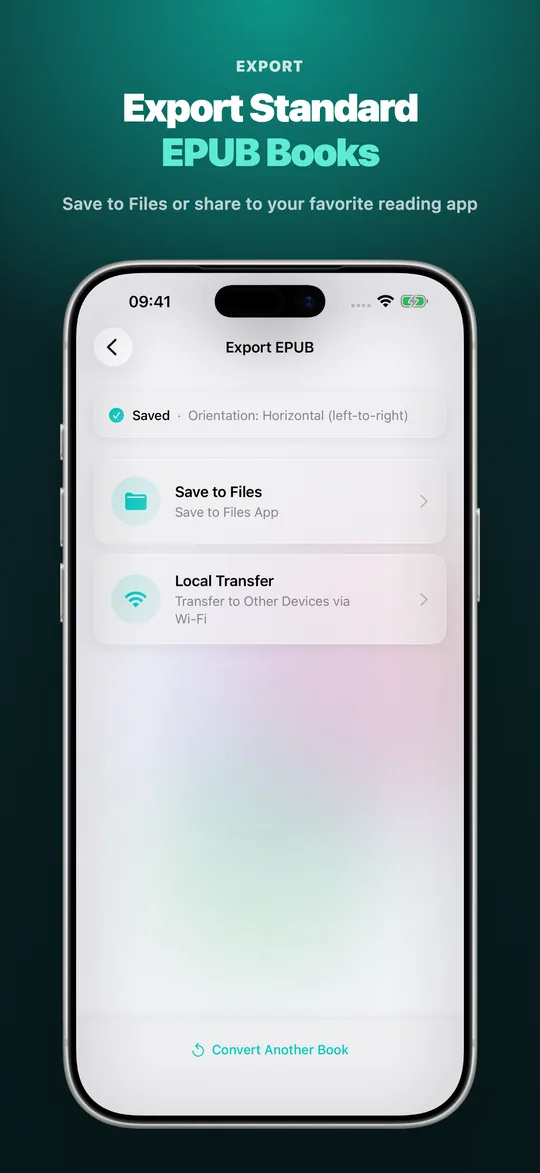
- Local Storage: Save directly to the iOS Files app or macOS folders.
- Direct App Sharing: Seamlessly open and share your books with Apple Books, Kindle, Kobo, Readmoo, BOOX, and other reader apps.
- Local Wi-Fi Web Transfer: Built-in local web server lets you transfer EPUBs to e-ink readers via QR code or local browser URL without cables.
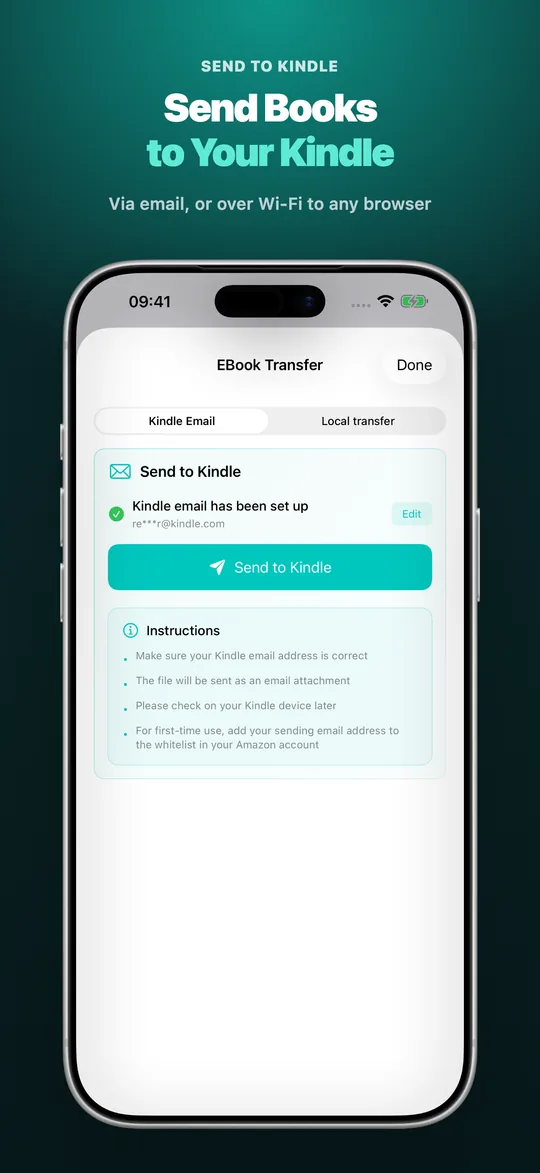
- Kindle Email Assistant: Quickly attach and send finalized EPUB files directly to your Kindle personal documents.
Privacy First & 100% On-Device Processing
- Completely Local: EPUB extraction, cover replacement, metadata editing, and repackaging occur entirely on your device.
- Zero Cloud Upload: Your eBooks are never uploaded to any third-party server, safeguarding your reading library and privacy.
FAQ
Can this app edit the body text of chapters or convert TXT/PDF files into EPUB?
No. This app is dedicated to EPUB cover design, metadata editing, reading direction layout, and repackaging. It does not edit chapter text or convert document formats.
How does local Wi-Fi transfer work?
As long as your Apple device and e-reader (Kindle, Kobo, BOOX, etc.) are connected to the same Wi-Fi network, start the transfer mode and scan the QR code or enter the provided URL in the reader's built-in browser to download your EPUB.
Will adding high-resolution covers blow up the EPUB file size?
No. The built-in smart compression automatically optimizes the image file size while keeping visual details razor-sharp on high-DPI reader screens.
Perfect For
Book lovers, indie authors, digital archivists, librarians, and e-ink reader users (Kindle, Kobo, BOOX).
Download now to make your EPUB eBook collection look clean, polished, and professional!
What some users say
Reviews from App Store users, quoted as written and not translated.
- ★★★★★
Actually Works🤯
Most of these types of apps are complete garbage, this is not the case. Amazing app, very fast, and a real developer that responds to users. Phenomenal work!
— QBdon, United States, · See reviews on the App Store
- ★★★★★
Love it!
Super easy to use and you can change all the details to your liking!
— leonorav14, Canada, · See reviews on the App Store
- ★★★★★
Almost perfect!
This is very convenient to have on the phone, I have a few suggestions, since this is a new app, maybe the dev would consider.
1) Would be great to be able to add the series name & volume in the metadata of the epub.
2) When adding an image from the camera roll, it would be great to be able to write the name of the book with whatever fonts are installed in the iPhone & the option to change…— MalloryKnoxxxx, United States, · See reviews on the App Store
Show more reviews (7)
- ★★★★★
Ottima App
Comodissima. Evita passaggi noiosi e a volte lunghi per cambiare la copertina di un libro
— Libero G, Italy, · See reviews on the App Store
- ★★★★★
Bardzo dobrze
Wielki plus, to zakup jednorazowy
Robi robotę— Mr No More, Poland, · See reviews on the App Store
- ★★★★★
Buena
La app es buena, tiene un número de intentos gratuitos para cambio de portadas
— Neyvadu, Mexico, · See reviews on the App Store
- ★★★★★
Удобное приложение
Очень давно не мог понять, как поменять некрасивые обложки книг в епаб формате, а приложение мне помогло. Очень хорошее
— Фандоринк, Ukraine, · See reviews on the App Store
- ★★★★★
Muy útil
Lo mejor que me pasó en la vida esta app, al fin mis libros del kindle no se ven feos jsj
— yonomaaaa, Chile, · See reviews on the App Store
- ★★★★★
Exactly what I needed!
Perfect in every way.
— Surfin4u, United States, · See reviews on the App Store
- ★★★★★
Great!
Easy and quick to navigate!
— Monkeydoofus, United States, · See reviews on the App Store
 EPUB OMG
 BookSend
 EPUB Converter
 TXT to EPUB
 EPUB Translator
 Tanko